Employers have the ability to open most new cases for their employees on their own in the Envoy Global platform. A case is required for the legal team to prepare the petition for a non-immigrant or permanent filing to be processed by the government.
We've provided step-by-step instructions on how company users can open a case for U.S. inbound employees and employees traveling internationally.
Account Permissions: Company users (Company Administrators, Division Administrators, Recruiters and Case Managers)
United States inbound cases
If a company is sponsoring an employee who is planning to work in the United States and has never been sponsored by the company before, we recommend first completing a Talent Assessment. The Talent Assessment will provide guidance on the correct case to open. If the employee has been sponsored before but requires a new case or an extension, you can proceed to opening a case.
To open a U.S. inbound case, follow the below instructions:
-
Select the Create+ button on the top-right hand side of the home screen and select New Case.
- Select the visa location as United States and then select the employee. If an employee account has not already been created, select +Add new employee from the employee search dropdown or read this article on adding a new employee.
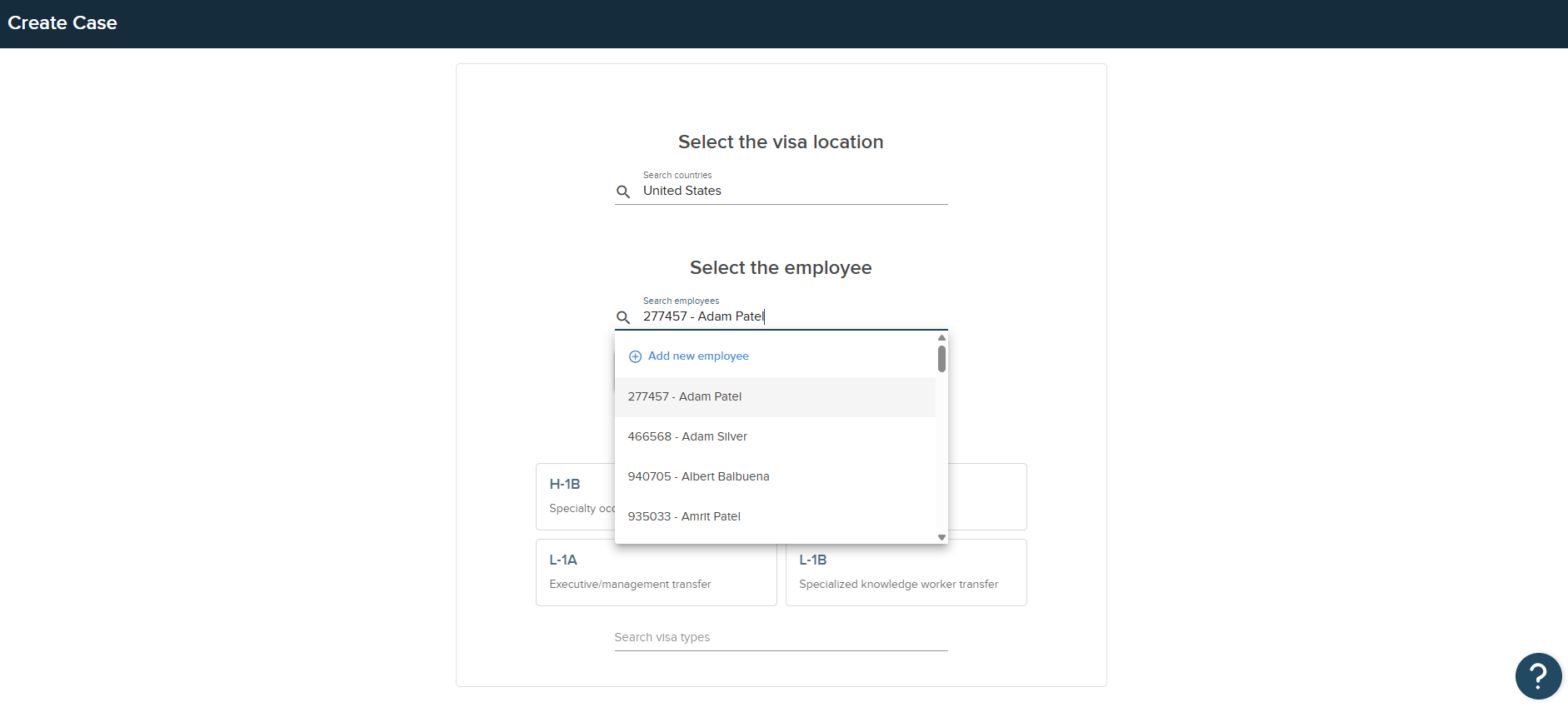
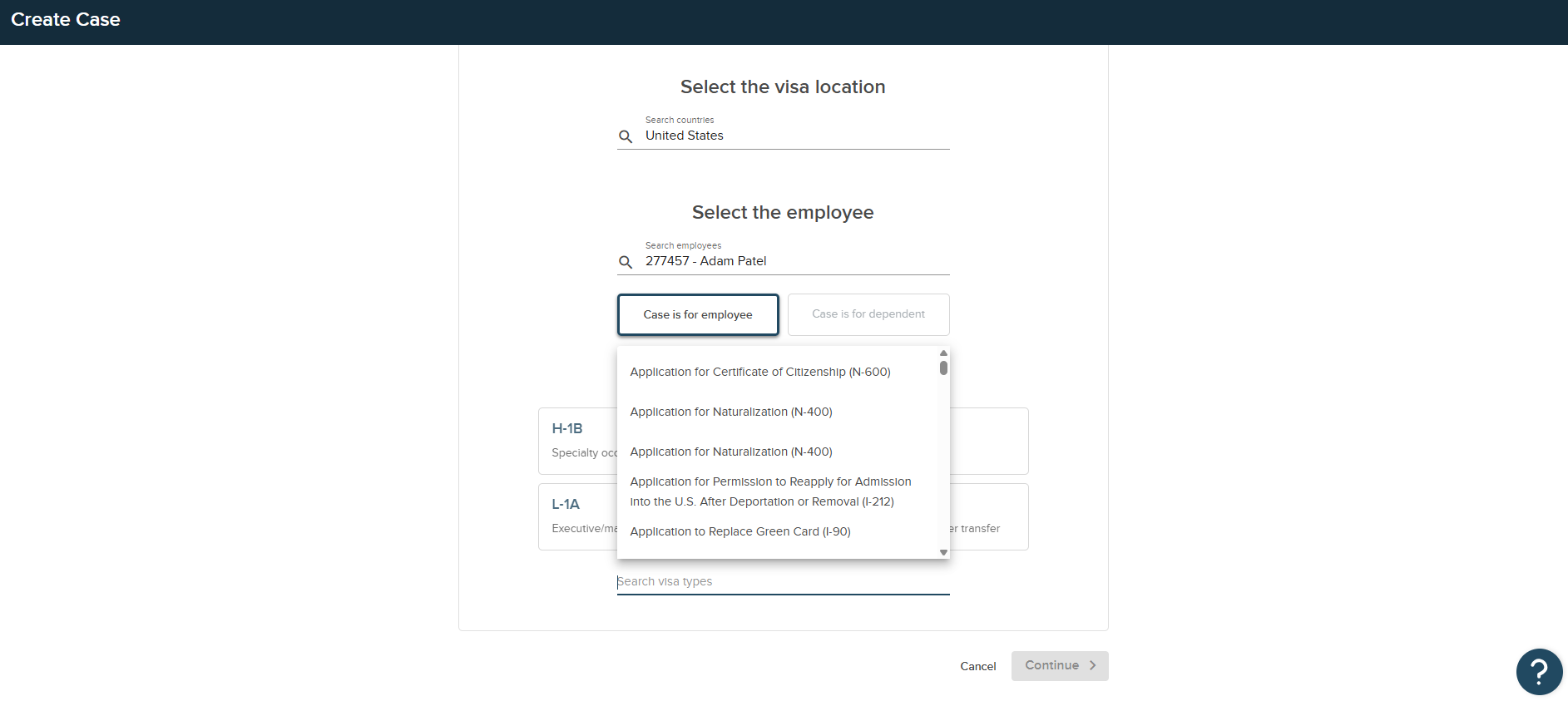
- Select the visa type and click continue. For more case options, search visa types. If you are unsure of which case to open, please do not continue and contact your Account Management team or the legal team at CIP.
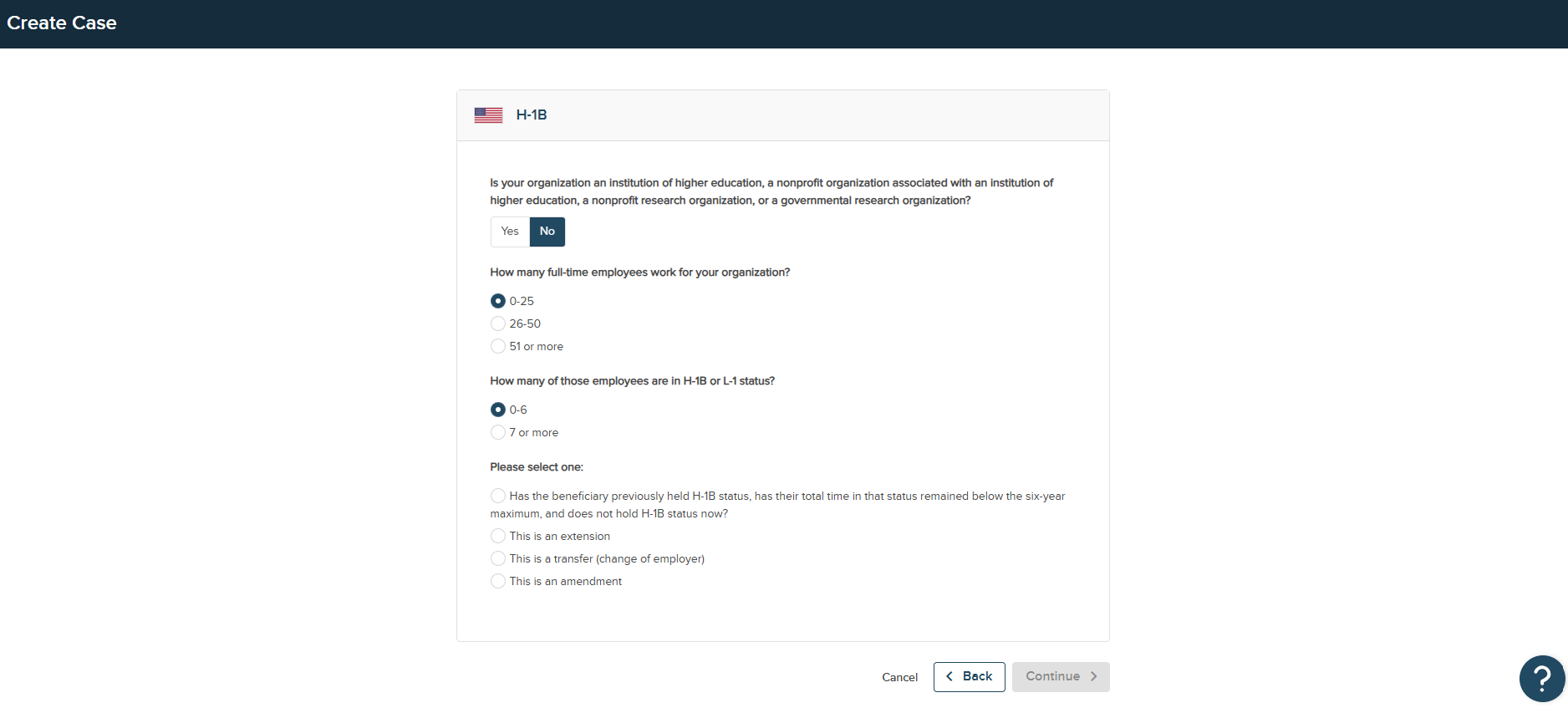
- On the next page, answer case-specific questions to determine the correct case type and workflow. Click Continue. Some of these questions will be pre-populated based on the Division details. Please double check all information before opening the case.
- On the final page, review the People on the case to ensure the signatory and point of contact are correct. If additional add ons are offered for the case, such as premium processing, then you will have the option to add them here.
- The total bill for the case will be presented, which we recommend reviewing before clicking 'Confirm & Open.'
International cases
If you need to sponsor an employee who is travelling internationally outside the U.S., your company will first need to complete a Global Assessment. It is critical that our regional teams review the employee's basic information including country of citizenship, country of birth, work requirements and timeline, before making a recommendation on which case to open. Once the assessment is complete, a case recommendation will be provided and your company can determine if they would like to proceed.
Some extensions do not require an assessment and can be opened directly from the Create+ option. We recommend working with the legal team directly before opening an international case.
Some users do not have the ability to open international cases. If a case needs to be opened, please contact the legal team in the Communication Center.
To open an international case, follow the below instructions:
- Select the Create+ button on the top-right hand side of the home screen and select New Case.

- Search for the visa location (destination country) that the case is needed for and click Open Case. If an assessment has not already been completed prior to opening the case, please check with the legal team prior to opening the case.
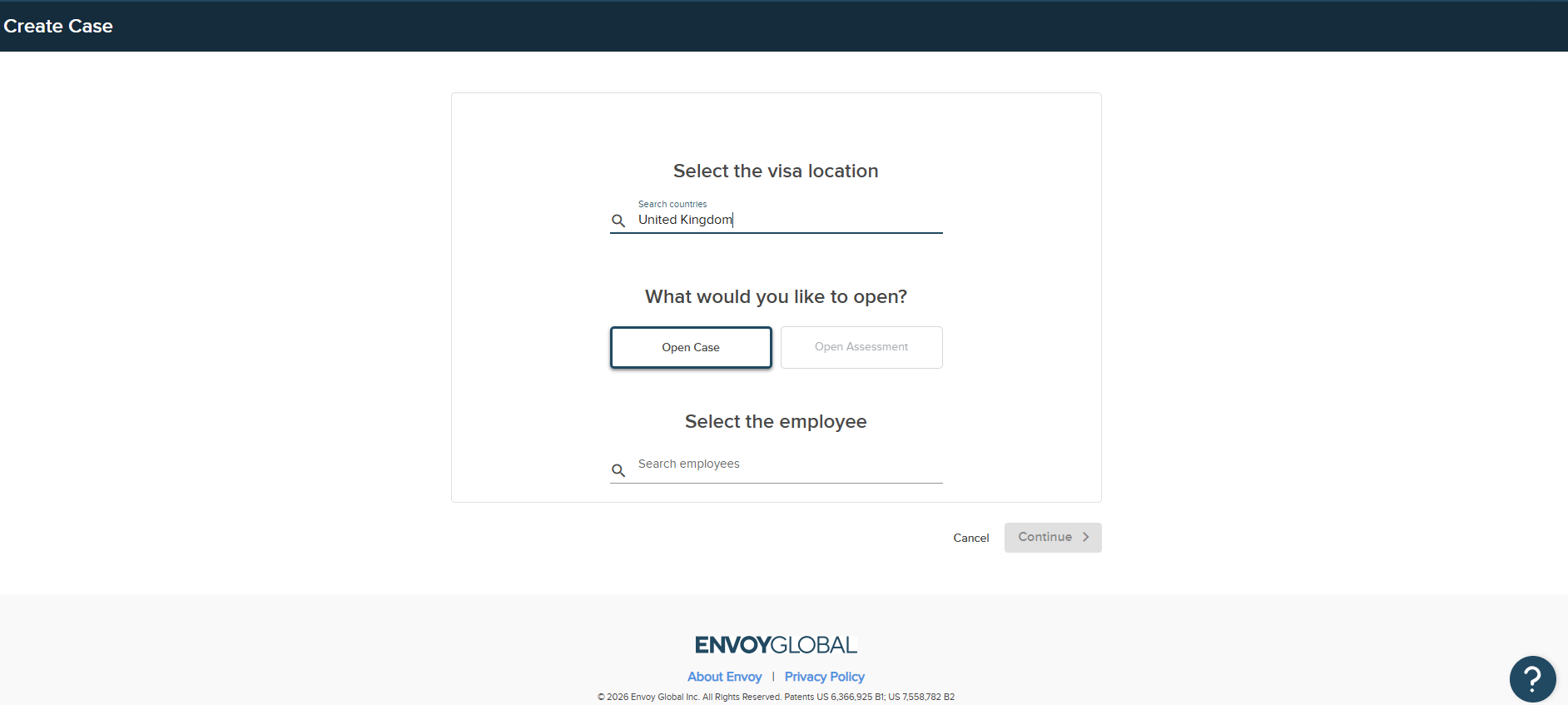
- Search for the employee that the case is being opened for. If an employee account has not already been created, select +Add new employee from the employee search dropdown or read this article on adding a new employee.
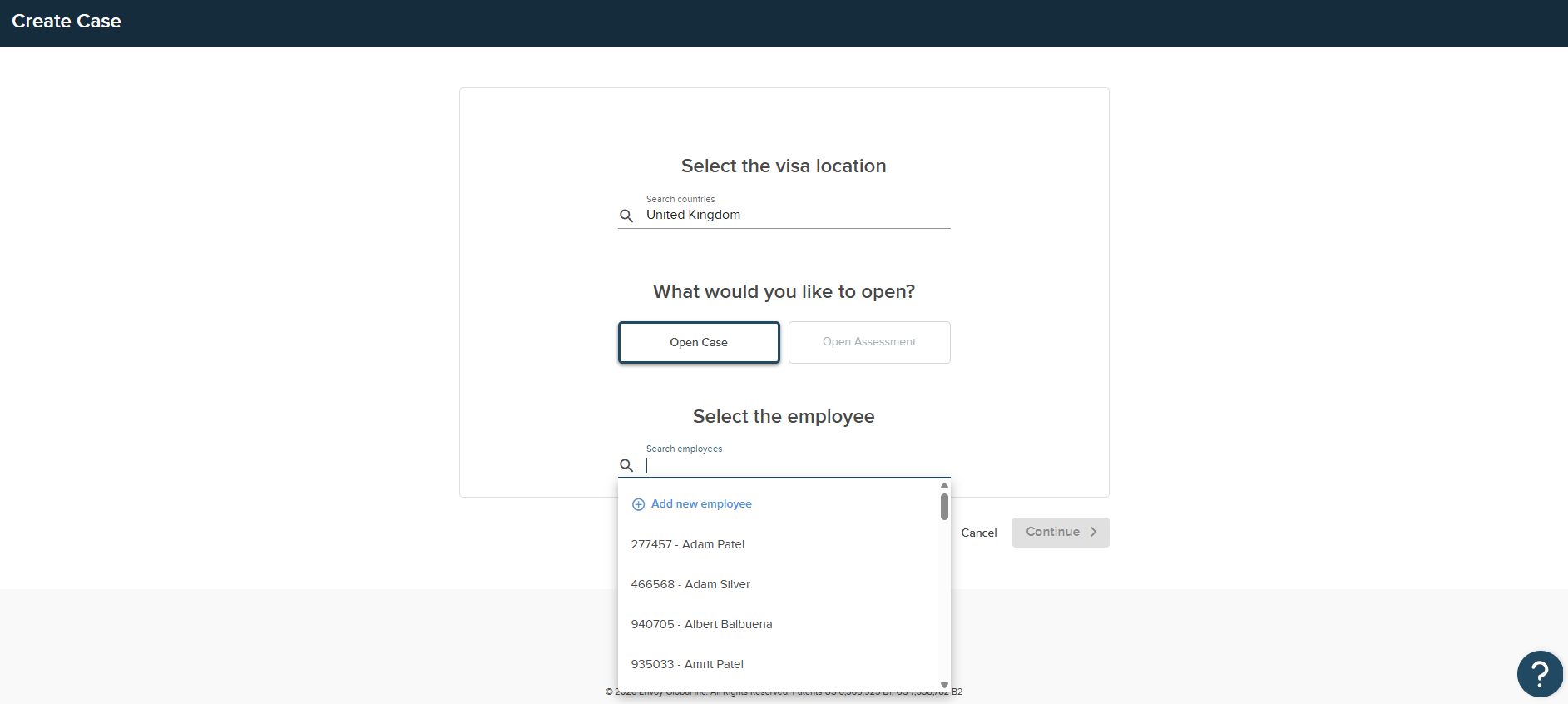
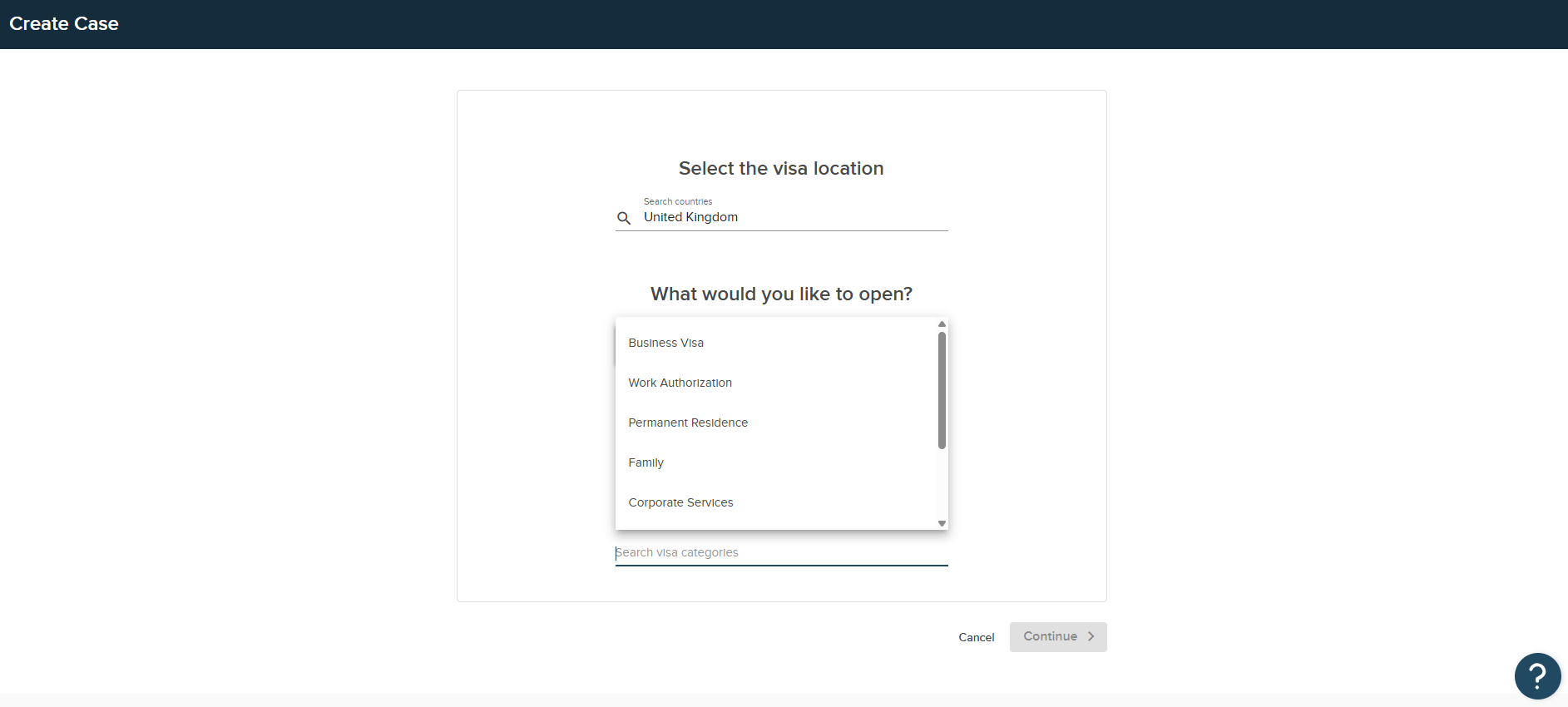
- Search the visa categories and select the type of case that should be opened. Additional visa types may appear depending on the visa category selected. Please select the correct visa type and click Continue.
- On the final page, review the People on the case to ensure the signatory and point of contact are correct. If additional add ons are offered for the case, then you will have the option to add them here.
- The total bill for the case will be presented, which we recommend reviewing before clicking 'Confirm & Open.'